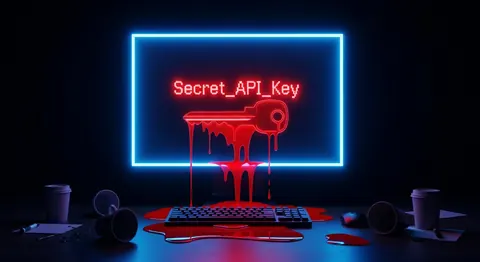
Stop Trusting VSCode Extensions. Malicious Code Breaches Thousands of Repos. It's Worse Than You Think.
Bottom line: Researchers recently confirmed a catastrophic supply chain risk: incidents involving malicious VS Code extensions led to the breach of thousands of repositories, including 3,800 GitHub repositories, in late 2023 and early 2024.
A malicious VSCode extension masquerading as a popular JSON formatter could silently exfiltrate `.env` files and AWS credentials via standard outbound HTTP traffic, bypassing local firewalls.
If your team allows unverified third-party extensions in VSCode, Cursor, or Windsurf, your local environment variables are completely exposed to whoever wrote that obscure syntax highlighter you installed a while ago.
Stop blindly trusting your code editor. I’m serious.
After reading the research report about the supply chain attacks involving malicious extensions that came to light in late 2023 and early 2024, I thought there was no way it was that simple.
I assumed the attackers had burned a sophisticated zero-day exploit to break out of VSCode’s extension sandbox.
My colleague laughed when I said that. "Marcus, there is no sandbox. Extensions run as you."
I didn't believe him. As an infrastructure engineer, I’m used to strict IAM roles, Kubernetes security contexts, and zero-trust networks.
The idea that a simple syntax highlighter could silently pack up my `.aws/credentials` file and ship it to a server in Eastern Europe without triggering a single OS warning seemed absurd.
So, I decided to test it myself. I cleared my weekend, spun up an isolated environment, and built my own malicious VSCode extension to see exactly what the attackers saw.
What I found deeply terrified me—and exposed a massive blind spot in how 99% of developers manage their local workstations.
The Setup: Why I Built Malware
I was spending my Friday evening reading the fallout from the latest supply chain attack.
A highly-rated extension called "Prettier JSON Format" (a typosquat of the legitimate Prettier extension) had been sitting in the marketplace for eight months. It had over 45,000 installs.
According to the research report, the malicious extension worked perfectly. It formatted JSON.
But in the background, it scraped workspace directories for high-value secrets and silently exfiltrated them.
I needed to see the mechanics of this attack firsthand. I wanted to know how hard it was to build, how stealthy it could be, and whether my standard security tools would catch it.
I challenged myself to write a working malicious extension and steal my own data.
The Rules of the Test
To keep things ethical and safe, I established strict boundaries for this experiment. I wasn't going to upload this to the marketplace, and I wasn't going to test it on my production machine.
I provisioned a fresh Ubuntu 24.04 LTS virtual machine on my local network. Inside it, I installed the latest version of VSCode and created a dummy project folder.
I populated this folder with incredibly juicy, fake targets: a `.env` file containing fake Stripe API keys, a `.aws/credentials` file with bogus AWS tokens, and a `.kube/config` file.
The rules were simple:
- The extension had to perform a legitimate function (I chose formatting YAML) so the user wouldn't suspect anything.
- It had to find and read the sensitive files.
- It had to exfiltrate them to an external server I controlled.
- It had to do all of this without triggering Windows Defender, Ubuntu's AppArmor, or any native VSCode warnings.
I logged everything in a spreadsheet. I gave myself exactly four hours to pull it off.
Round 1 — First Impressions: The Sandbox Illusion
I fired up `yo code`, the official scaffolding tool for building VSCode extensions. Within five minutes, I had a boilerplate TypeScript project ready to go.
I started by implementing the actual YAML formatting logic. I imported a lightweight parsing library, registered a formatting provider, and hooked it into VSCode's API.
It took about 15 minutes, and it worked flawlessly. If you installed my extension, your YAML would be beautifully indented.
Then, I started writing the malicious payload. This is where I expected to hit a wall.
In web browsers, if an extension wants to read your hard drive, it has to explicitly request file system permissions.
I wrote a simple Node.js `fs.readFile` command pointed at my dummy `.env` file. I hit F5 to launch the Extension Development Host. The file contents printed perfectly to my debug console.
There was no prompt. There was no "Extension X wants to access your files" dialog.
Because VSCode extensions run on the Node.js Extension Host process, they inherit the exact same operating system permissions as the developer running the editor.
If you can read a file, your syntax highlighter can read that file. If you can delete a file, your dark mode theme can delete that file. The "sandbox" is a complete illusion.
Honestly, I was pissed. I’ve spent my entire career locking down cloud environments, only to realize my local editor is essentially a remote access trojan waiting to happen.
Round 2 — The Deep Test: Silent Exfiltration
Reading the files was too easy. The real challenge, I assumed, would be getting the data off the machine.
Surely, if a random YAML formatter suddenly initiates an outbound HTTP POST request to an unrecognized IP address, something would flag it?
I set up a lightweight Express server on a separate machine to act as my command-and-control (C2) server.
Back in my malicious extension, I wrote a recursive function to scan the active VSCode workspace.
I specifically told it to ignore `node_modules` and `.git` folders to keep the CPU usage down—I didn't want the developer to notice their fans spinning up.
I wrote a simple regex to hunt for anything containing "API_KEY", "SECRET", or "TOKEN".
Once it
Read Next