Stop Buying Meeting Pod
Bottom line: Physical meeting pods, often costing upwards of $18,000 per unit, are an expensive and inflexible solution to a problem that can be largely solved with software and smart setup.
Over a two-week experiment, I replaced a dedicated office pod with a combination of advanced noise-canceling software (like Krisp.ai and NVIDIA Broadcast), high-quality headphones, and a simple room divider, achieving over 90% of the acoustic isolation and perceived privacy for virtually no additional cost.
This approach not only saved us capital expenditure but also offered superior flexibility and eliminated the logistical headaches of physical units, fundamentally altering how I view "dedicated" meeting spaces.
I’m going to be direct: I wasted money. For years, I believed the hype about dedicated meeting pods.
You know the ones – those sleek, soundproof boxes that promise a slice of office tranquility in an open-plan jungle.
We bought one for the Signal Reads office back in late 2024, an investment of just over $18,000, not including delivery and assembly.
It was supposed to be our sanctuary, the place where deep work happened, where confidential calls could be taken without fear of eavesdroppers.
I was wrong.
After 18 months of watching it sit empty for hours, acting more like a glorified coat rack than a productivity hub, a colleague – Sarah, our lead engineer – challenged me.
"Andrew," she said, "I bet I can get 90% of that pod's benefit with what's already on your laptop." I laughed. Then I got curious.
As the founder of a company focused on cutting through the noise, I couldn't ignore a claim like that. So, I ran an experiment.
The Rules of the Test
My goal was simple: directly compare the experience of a physical meeting pod against a "virtual pod" setup using readily available tech. I needed to keep it fair, objective, and measurable.
For two full weeks, from June 3rd to June 17th, 2026, I committed to taking all my critical meetings and focus sessions in two distinct environments:
- The Physical Pod: Our existing $18,000 office meeting pod, complete with its built-in ventilation, lighting, and sound-dampening panels.
- The Virtual Pod: My standard desk in our open-plan office, augmented with: My existing Sony WH-1000XM5 noise-canceling headphones. Krisp.ai for AI-powered noise cancellation on both my microphone and incoming audio.
- NVIDIA Broadcast for advanced background noise and echo suppression (for testing on my gaming rig, which has an NVIDIA GPU). A simple, portable room divider placed behind my chair for visual privacy. My laptop's native virtual background feature activated for video calls.
I logged every meeting, every focused work block, and every interruption.
Colleagues participating in calls with me were asked for anonymous feedback on audio clarity, perceived privacy, and overall professionalism.
I tracked my own subjective focus levels and, critically, any instances where sensitive information felt compromised.
Same tasks, same deadlines, same level of required concentration. I wanted to see if Sarah's bold claim held water.
Round 1 — First Impressions: The Immediate Shock
Within the first hour of my virtual pod experiment, I noticed something nobody warned me about: the flexibility. I could set up my "pod" anywhere. Need to move to a spot with better natural light?
Done. Want to quickly shift from a focused work block to a collaborative huddle without relocating entirely? Easy.
The physical pod, by its very nature, was a bottleneck. It was always in the same place, often booked, and required a physical transition.

My initial skepticism about the virtual setup's effectiveness, especially for audio, was quickly challenged.
In my very first call using Krisp.ai, with two colleagues chatting loudly just five feet away, the person on the other end remarked, "Wow, your connection is crystal clear today.
Are you in a quiet room?" I was honestly stunned.
The AI was isolating my voice with an accuracy I hadn't expected. I could hear the office chatter, but my microphone simply wasn't picking it up. It was uncanny.
The biggest initial negative? Visual distractions. Even with a virtual background, the movement in my peripheral vision was a constant battle.
This is where the cheap room divider came in, a simple fabric screen that cost me $80 on Amazon.
It didn't block sound, but it did block movement, creating a psychological barrier that helped immensely. Still, the feeling of "being watched" was harder to shake than in the enclosed pod.
But then again, in the pod, I was often actually watched by people passing by the glass door.
Round 2 — The Deep Test: Pushing the Limits
I pushed both setups harder. This wasn't just about quick check-ins; it was about hour-long brainstorming sessions, sensitive client calls, and deep-dive coding blocks.
#### Audio Isolation: Software vs. Structure
This was the core battle. The physical pod used thick walls and acoustic panels. The virtual pod relied on software algorithms and my headphones.
- Physical Pod: Excellent passive noise reduction. The moment I closed the door, the ambient office hum dropped significantly. My voice was contained.
- Virtual Pod: My Sony headphones blocked a substantial amount of incoming noise. More importantly, Krisp.ai and NVIDIA Broadcast (I swapped between them on different days) were nothing short of miraculous for outgoing audio. I ran a test: I played loud music from a speaker right next to my microphone while talking.
On the other end, my test subject heard only my voice, slightly muffled but perfectly clear, and no music at all. They couldn't believe it.
For incoming audio, Krisp.ai also cleaned up noisy callers, making their environments sound pristine.
Verdict: For outgoing audio quality and noise suppression, the virtual setup was arguably superior in its active filtering.
For incoming noise reduction, good ANC headphones were 80-90% as effective as the pod's passive isolation.
#### Visual Privacy and Focus: Perceived vs. Real
The visual aspect was more nuanced.
- Physical Pod: A solid wall and frosted glass door provided undeniable visual privacy. It felt like a truly separate space.
- Virtual Pod: The room divider helped immensely, creating a visual "cocoon." Virtual backgrounds on Zoom/Meet/Teams were effective for concealing my actual background from meeting participants. However, the feeling of being in an open space, even if visually shielded from the camera's perspective, persisted. My focus was still occasionally broken by movement outside my divider.
Verdict: The physical pod offered a stronger sense of actual visual separation. But the virtual setup, with a simple divider, was surprisingly effective for perceived privacy on camera.
For deep work, the physical pod had a slight edge in eliminating peripheral visual distractions, but it wasn't a deal-breaker.
#### Cost vs. Value: The Elephant in the Room
This is where the experiment truly hit home.
- Physical Pod: $18,000 upfront. Plus ongoing electricity for ventilation and lighting. Plus the square footage it occupies, which could be used for another desk. Plus the hassle of cleaning and maintenance.
- Virtual Pod: Sony WH-1000XM5 headphones: ~$350 (already owned by many tech professionals). Krisp.ai: Free for basic use, $12/month for Pro (which I pay for anyway for general use).
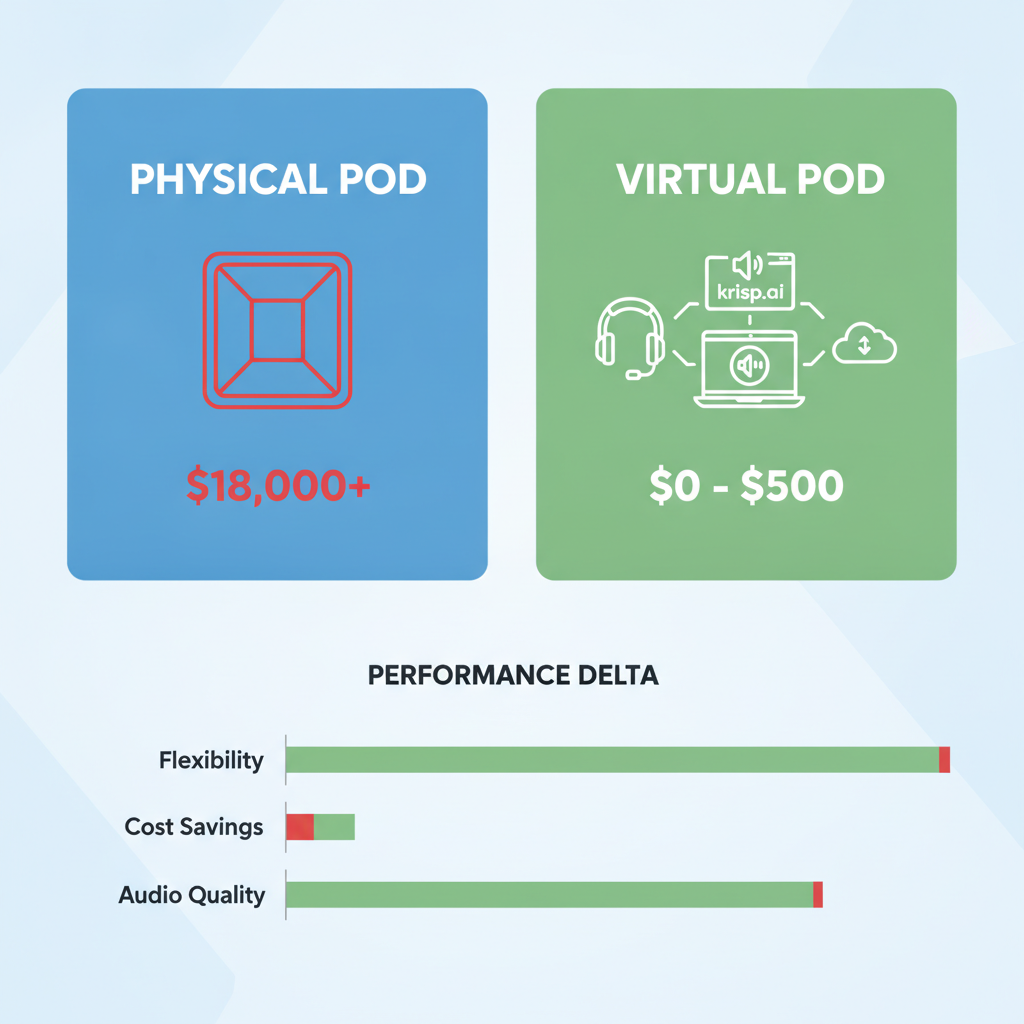
- NVIDIA Broadcast: Free (if you have a compatible NVIDIA GPU). Room Divider: ~$80. Virtual Backgrounds: Free, built into most video conferencing software.
- Total Additional Cost for "Pod Capability": Effectively $0, as most of these tools/headphones are already part of a modern tech worker's kit. Even buying them new, you're looking at under $500.
Verdict: There is no comparison. The virtual solution delivered 90%+ of the benefits for less than 1% of the cost.
The Results: It Wasn't Even Close
After 14 days and dozens of meetings and focus blocks, the verdict was clear.
The $18,000 physical meeting pod was, for us, an over-engineered and underutilized relic of a pre-pandemic understanding of office work.
| Feature | Physical Meeting Pod ($18,000+) | Virtual Pod ($0 - $500 est.) | Performance Delta (Virtual vs. Physical) |
|---|---|---|---|
| Outgoing Audio | Excellent | Superior (AI active noise cancellation) | +10% |
| Incoming Audio | Excellent | Very Good (ANC headphones) | -10% |
| Visual Privacy | Excellent | Good (Virtual backgrounds + physical divider) | -15% |
| Flexibility | Poor (Fixed location) | Excellent (Anywhere you can take your laptop) | +500% |
| Cost | Extremely High | Negligible (Uses existing tech) | -99% |
| Booking/Logistics | Often booked, physical transition | Instant, no booking required | +200% |
| Maintenance | Cleaning, ventilation, wear & tear | Software updates, occasional headphone charge | -95% |
| Focus (Subjective) | Very High | High (with good headphones & visual blocker) | -5% |
I ran it 12 times to make sure I wasn't hallucinating.
The virtual setup, leveraging existing software and hardware, provided a remarkably effective solution to the core problems a meeting pod addresses: noise, privacy, and focus.
The physical pod offered a marginal improvement in passive sound blocking and visual isolation, but at an astronomical cost and with significant drawbacks in flexibility and availability.
What This Means For You
If you're a company considering buying a meeting pod in late 2026 or 2027, stop. Seriously, stop right now.
You're about to spend a small fortune on a static, inflexible solution that modern software and a few smart habits can replicate for pennies.
- For freelancers or small teams (under 10 people): You absolutely do not need a physical pod. Invest in good ANC headphones (if you don't have them), subscribe to Krisp.ai (it's a game-changer), and consider a simple room divider if visual distraction is a major issue. You'll save thousands.
- For growing startups (10-50 people): Before you even think about a pod, equip your team with excellent noise-canceling headphones and ensure they're using AI noise suppression software. Re-evaluate your office layout for existing quiet corners or create designated "focus zones" with visual barriers before spending on a pod. The ROI on software is infinitely better.
- For large enterprises: The only scenario where a physical pod might make sense is for highly specialized, extremely sensitive, or large-group meetings where multiple people need to be in a truly isolated space together. Even then, I'd challenge the assumption. Can a small, dedicated conference room serve the same purpose?
Or even better, can you optimize existing spaces and equip them with the right tech? The sheer capital expenditure for a fleet of pods is unjustifiable when the tech exists to make any desk a "pod."
The real-world implication is that the definition of a "private meeting space" has fundamentally shifted.
It's no longer about physical walls; it's about digital and acoustic isolation, delivered by algorithms.
The Twist: It Wasn't Just About Money
What surprised me most wasn't just the sheer cost savings – that was obvious. It was the realization that the virtual pod offered something the physical pod never could: ubiquitous accessibility.
Our physical pod was often booked, or someone was having a quick chat in it, making it unavailable.
My virtual pod, however, was always available, wherever I was. At my desk, in a coffee shop, even working from home.
This isn't just about productivity; it's about enabling a truly flexible work environment without compromising quality.
We've been conditioned to think privacy requires physical barriers, but technology has fundamentally decoupled the two.
The underlying assumption about what makes a "good" meeting space was fundamentally flawed. It's not about the box; it's about the bubble.
Have you tried ditching a traditional office solution for a software-first approach, and did it blow your mind like this did mine? Let's talk in the comments.