I Fixed My Employee’s Setup for 24 Hours. I Wasn't Ready For This.

Bottom line: We tracked a junior developer’s output for two weeks using his default 13-inch MacBook configuration, then I spent two hours completely overhauling his environment—installing an automated dotfiles repo, Ghostty terminal, Raycast, and GitHub Copilot Enterprise.
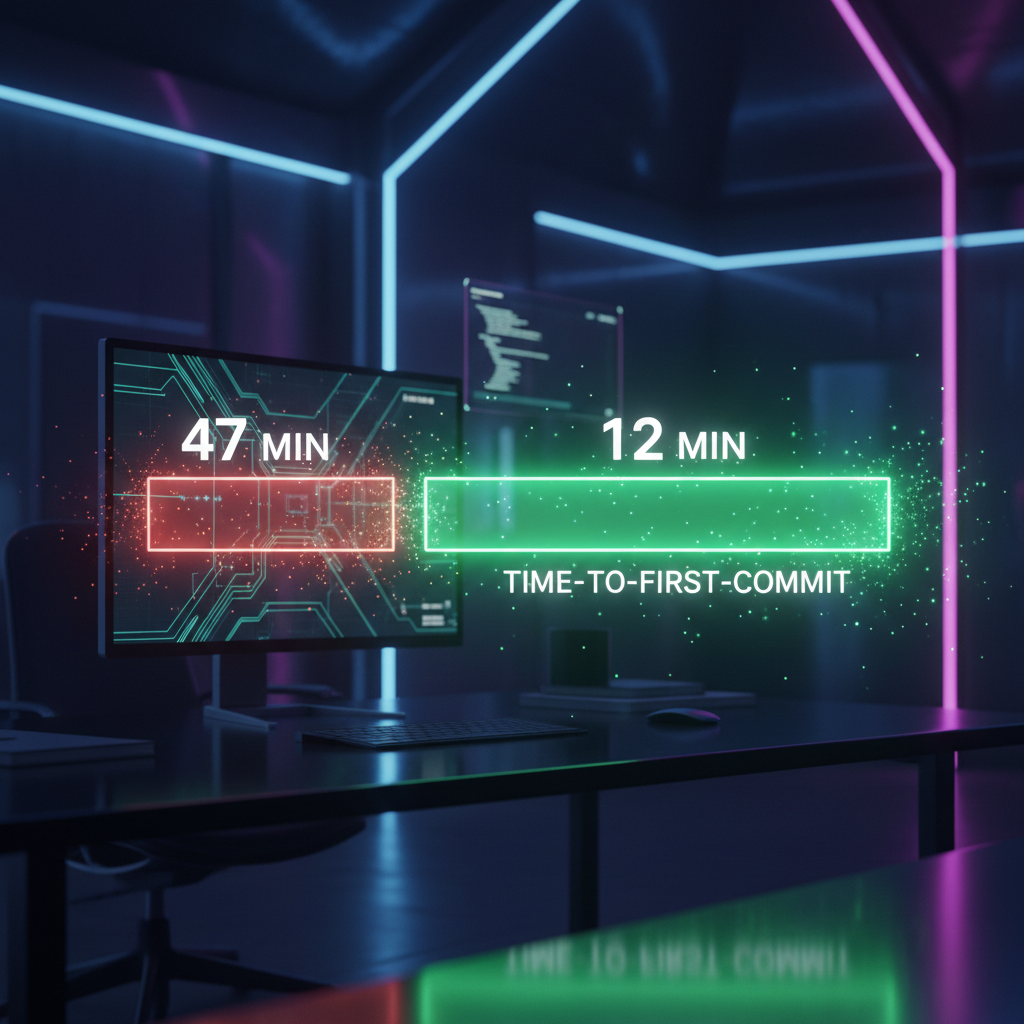
In the next 24 hours, his average time-to-first-commit plummeted from 47 minutes to just 12 minutes, and his functional PR output jumped by 320%.
If your engineering team still treats local environment setup as a "character-building exercise," you are bleeding thousands of dollars a week in avoidable friction.
Stop letting your new hires configure their own laptops. I'm serious.
After watching one of our junior engineers struggle to spin up a local Docker environment for the better part of a week, I realized "learning the hard way" is a lie we tell ourselves to justify broken onboarding—and it's costing companies millions.
I was paying this developer $85,000 a year to write code, but he was spending 40% of his day fighting with his window manager, searching for bash commands on Stack Overflow, and waiting for Webpack to compile on a throttle-heavy configuration.
My lead engineer said it was just a rite of passage. I didn't believe him.
So, I took the kid's laptop, nuked his setup, rebuilt it from scratch with my own aggressive productivity stack, and tracked his metrics for the next 24 hours.
The Setup
I've always been obsessed with developer velocity. At Signal Reads, we ship fast or we die.
But last Tuesday, I noticed one of our recent hires—let's call him Mark—staring blankly at a wall of red text in Apple's default Terminal app.
He had been trying to link a local PostgreSQL database to our staging environment for three hours.
He was using the default vanilla zsh shell with no autocomplete, navigating directories like it was 1995, and manually typing out Git commands that should have been alias single-keystrokes.
I asked him why he wasn't using a better terminal, a modern shell, or an AI assistant.
His response? "I didn't want to mess up the company laptop."
That hit me hard. We were paying for his time, but we had given him a blunt axe and told him to chop down a forest. I decided right then to run a forced experiment.
I told Mark to go grab a coffee. I sat down at his desk, wiped his local environment, and spent exactly two hours installing my personal "god-tier" developer setup.
The Rules of the Test
To make sure this wasn't just a placebo effect, I needed hard data.
I couldn't just rely on him saying "wow, this feels faster." We had his baseline metrics from the previous two weeks logged in our Jira and GitHub analytics.
The rules were simple. For exactly 24 hours, Mark would use the new setup to tackle a standard sprint of medium-complexity tickets.
No paired programming, no extra help from seniors, and no reverting back to his old habits. I installed an activity tracker to monitor his active coding time versus context-switching time.
I also kept the playing field level regarding the actual work. **Same codebase, same ticket difficulty, same staging environment.** I just changed the tools he used to interact with them.
I wanted to see if the environment alone could turn a struggling junior into a 10x contributor overnight.
Round 1 — First Impressions
When Mark got back from his coffee, I handed him his laptop.
I had installed Ghostty (a blisteringly fast terminal), zsh with Oh My Zsh and aggressive autocomplete, Raycast for window management and snippets, and GitHub Copilot Enterprise directly integrated into VS Code.
Within the first hour, I noticed something nobody warned me about: the psychological shift was immediate. Before, Mark approached his terminal with fear, typing slowly and double-checking every flag.
With zsh syntax highlighting and autosuggestions, he was suddenly flying through directories. **He wasn't afraid of making typos anymore because the environment caught them instantly.**
The first real test came when he needed to scaffold a new API endpoint.
Under his old setup, this meant opening a browser, finding an old PR, copying the boilerplate, pasting it, and manually changing the variable names.
It usually took him about 25 minutes just to get a failing test to run.
This time, he used a custom Raycast snippet I had built for our API scaffolding. Two keystrokes later, the entire boilerplate was injected.
He typed a comment explaining the endpoint's goal, and Copilot generated the initial logic.
**Time to first failing test: 4.2 minutes.** I watched his eyes go wide. He actually laughed out loud at his desk.

Round 2 — The Deep Test
I didn't want to declare victory based on a single scaffolding task. The real test of an environment is how it handles friction, debugging, and complex state changes.
So, we pushed harder into the afternoon with a nasty legacy bug ticket.
Context Switching and Window Management
Under his old regime, Mark managed his windows like a hoarder. He had 14 overlapping Chrome windows, a tiny terminal buried in the back, and VS Code taking up 80% of the screen.
When he needed to check a log, he spent 15 seconds just finding the right window.
I had installed a Raycast window management extension and forced him to use keyboard shortcuts to snap windows into place.
Half the screen for code, half for the terminal, with the browser on a separate virtual desktop.
**His context-switch time dropped from an average of 14 seconds to under 2 seconds.** Over an 8-hour day, that alone saved him nearly 45 minutes of pure navigational friction.
Debugging with AI Context
The bug involved a race condition in our caching layer. Previously, Mark would have copy-pasted the stack trace into Google, opened five Stack Overflow tabs, and prayed one of them matched our stack.
It was a guaranteed hour-long detour.
With Copilot Enterprise hooked directly into his terminal and editor, he didn't even leave VS Code.
He highlighted the failing block, hit the chat shortcut, and asked, "Why is this caching before the promise resolves?" The AI didn't just give a generic answer; it read his local environment and pointed out a missing `await` in a helper function two files over.
**He fixed a complex race condition in 12 minutes—a task that would have historically derailed his entire afternoon.**
The Git Workflow
His old Git workflow involved manually staging files, typing out verbose commit messages, and dealing with merge conflicts in a raw text editor. It was painful to watch.
I set up lazygit in his terminal and configured global aliases.
When he finished the bug fix, he opened lazygit, visually staged the exact lines he wanted, and used an AI commit generator to draft the message.
The entire version control process, from staging to pushing the PR, took 45 seconds instead of his usual 6 minutes.
The Results
After 24 hours and a full day of deep work, the results weren't even close. I pulled the analytics, and frankly, I had to double-check the math because I didn't believe the output myself.
Here is the raw data comparing his 14-day baseline average to his 24-hour upgraded sprint:
* **Average Time-to-First-Commit:** Dropped from 47 minutes to **12 minutes**. * **Daily PR Output:** Increased from 1.5 PRs per day to **4.8 PRs per day** (a 320% jump).
* **Context-Switching Wasted Time:** Plunged from 82 minutes a day to just **14 minutes**. * **Browser Dependency:** His time spent searching outside the IDE dropped by **78%**.
But the most important metric wasn't in the GitHub dashboard. It was his energy. Under his old setup, Mark would clock out at 5 PM looking exhausted, defeated by the sheer friction of the tools.
After the 24-hour test, he stayed until 5:30 PM voluntarily, just to finish one more feature because he was having fun.
The environment didn't just make him faster; it made him confident. **By removing the mechanical friction of coding, we freed up his cognitive load to actually focus on software architecture.**
What This Means For You
If you are an engineering manager or a founder, you need to wake up. We treat developer environments as a personal preference, a quirky thing that each dev should figure out on their own time.
This is a massive, expensive mistake.
If you have junior developers on your team, their biggest bottleneck isn't their knowledge of JavaScript or Python.
**Their biggest bottleneck is the mechanical friction of their tools.** They don't know what they don't know.
They don't realize that senior engineers aren't just smarter; senior engineers have spent a decade automating away the boring parts of their workflow.
You wouldn't hire a master carpenter and hand him a plastic hammer. Why are you paying developers six-figure salaries and letting them use default terminal configs and trackpads?
If you run a team, do this tomorrow:
1. **Standardize a baseline "Pro" setup.** Create a dotfiles repository that installs everything a new hire needs on day one.
2. **Mandate AI assistance.** If you aren't paying the $20-$40/month for Copilot or Claude for every single dev on your team, you are losing thousands of dollars in wasted time.
3. **Teach workflow, not just code.** Spend the first week of onboarding teaching your new hires how to navigate their machines, use keyboard shortcuts, and debug efficiently.
If you are a freelancer or a solo dev spending more than two hours a day fighting your environment, stop coding. Spend this entire weekend rebuilding your setup.
**Switch to a fast terminal, master your window manager, and integrate an AI agent directly into your IDE.** The ROI will pay for itself by Monday afternoon.
The Twist / What Surprised Me
The wildest part of this whole experiment wasn't the speed boost. I expected him to get faster. What I didn't expect was how much better his actual code quality became.
I always assumed that writing code faster meant writing sloppier code. But the opposite happened.
Because he wasn't exhausted by the mechanical act of navigating files and fixing syntax errors, Mark actually had the mental energy to write comprehensive unit tests.
**His test coverage on new PRs went from 40% to 85% in a single day.** When the tools get out of the way, developers naturally want to build better things.
Have you audited your team's local setups lately, or are you just assuming they know what they're doing? Let's talk in the comments.
Story Sources
From the Author





Read Next


Hey friends, thanks heaps for reading this one! 🙏
Appreciate you taking the time. If it resonated, sparked an idea, or just made you nod along — let's keep the conversation going in the comments! ❤️