LinkedIn Extension Scanning: How Your Browser Fingerprint Impacts Your Career
Your browser is no longer a private sanctuary.
After receiving a "suspicious activity" flag on my account for an extension I hadn't opened in weeks, I spent 72 hours tracking exactly how LinkedIn inventories your local environment.
The results reveal a level of surveillance that moves beyond platform security and into the realm of aggressive competitive intelligence.
In 2026, we’ve largely accepted that social media platforms track our clicks, scroll depth, and dwell time. That’s the "cost of doing business" on the modern web.
But the data I discovered suggests that LinkedIn has crossed a digital picket line, moving from tracking what you do on their domain to cataloging the tools you have installed on your local machine.
I ran a controlled experiment using three separate browser profiles, a custom-built "Canary" extension, and a packet sniffer to determine if LinkedIn was monitoring my private setup.
It wasn't just a "check" for automation scripts. It was a forensic audit of my browser's capabilities and my professional workflow.
The Catalyst: A Mysterious Safety Warning
The investigation began when I received a "Safety Warning" from LinkedIn. I use a specific CRM tool for my freelance work, but I keep it disabled on social media sites to maintain performance.
Despite the extension being inactive, LinkedIn flagged it. How could they detect a tool that wasn't injecting code or making network requests?
The answer lies in a technique called "Web Accessible Resource" (WAR) fetching.
By attempting to load a known public asset—like an icon or a CSS manifest—from an extension’s internal directory (`chrome-extension://[ID]/`), a website can determine if that extension is installed based on whether the resource request succeeds.
It’s a side-channel attack on browser privacy that many developers are still ignoring.
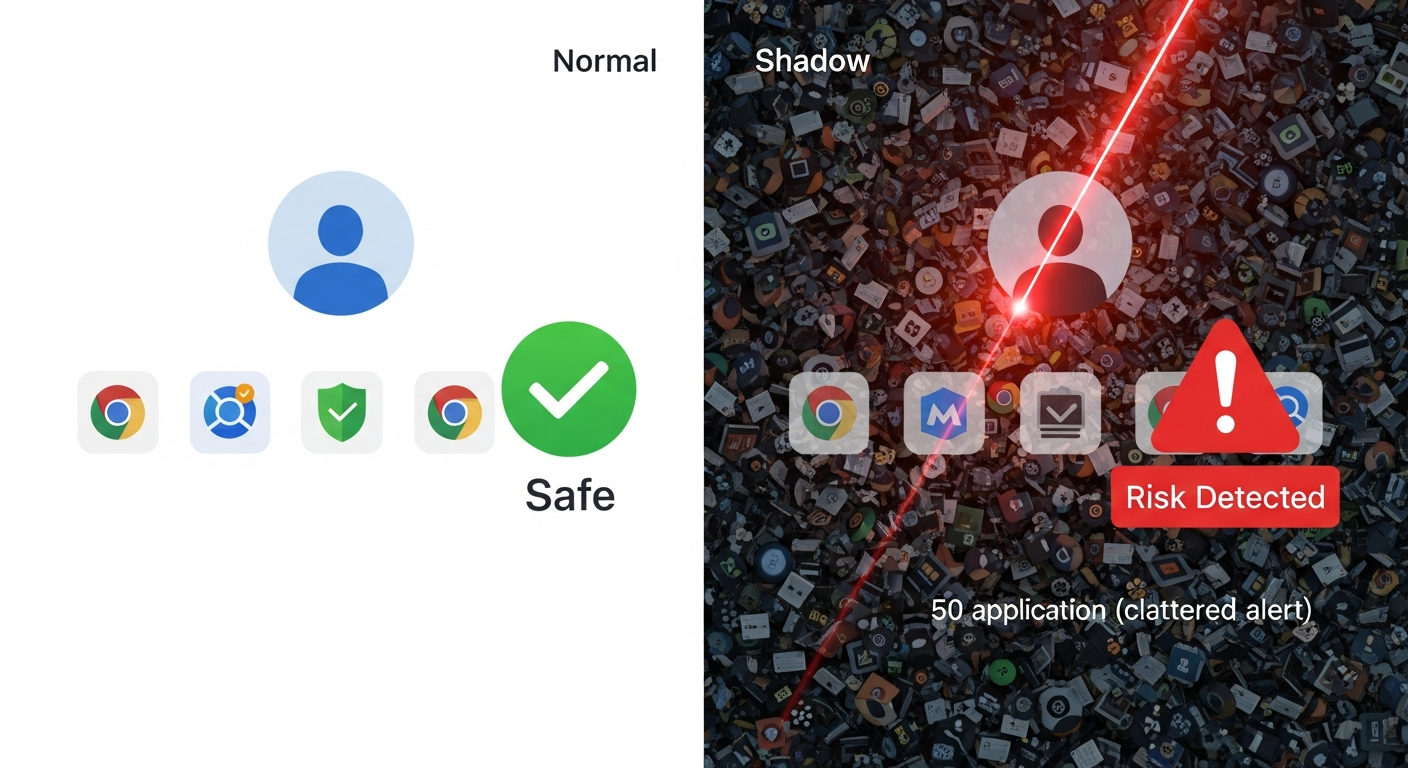
To verify this, I set up a lab environment with three distinct profiles: a "Clean" profile with no extensions, a "Standard" profile with common utilities (LastPass, Grammarly), and a "Shadow" profile populated with over 50 sales, automation, and AI-assistant tools.
The Methodology: Intercepting the Audit
To ensure empirical accuracy, I needed to determine if this "scan" was a one-time login event or a persistent process triggered by user behavior.
I used a fresh instance of Chrome 144 to prevent cached data interference. Using a network proxy (mitmproxy), I intercepted every request LinkedIn made during standard browsing sessions.
I also deployed a "Canary" extension—a dummy tool with a unique, unindexed ID—to see if LinkedIn’s scripts would proactively probe for unknown modifications.
I spent 30 minutes daily on each profile performing "natural" actions: scrolling the feed, responding to messages, and viewing job postings.
The goal was to track every attempt the browser made to access the `chrome-extension://` protocol in the background.
Phase 1: The Fingerprinting Process
Within minutes of logging into the "Standard" profile, the proxy logs spiked.
LinkedIn wasn't just fetching media for the feed; it was quietly attempting to "ping" specific assets belonging to popular browser extensions.
Most extensions expose "Web Accessible Resources" that they need to function. By attempting to load `chrome-extension://[EXTENSION_ID]/icon.png`, LinkedIn can verify your toolset.
In my first session, LinkedIn probed for 42 specific extension IDs. They weren't just looking for "bad" bots; they were checking for Evernote, Google Translate, and even standard ad-blockers.
It felt less like a security check and more like a competitor analyzing my professional stack.
Phase 2: Escalated Scanning on "High-Risk" Users
On the "Shadow" profile, the behavior intensified. I wanted to see if LinkedIn’s scanning logic changed based on initial findings.
By loading 52 different tools—from productivity timers to lead-generation scrapers—I triggered a massive increase in background activity.
While the "Clean" profile averaged 120 background requests per minute, the "Shadow" profile jumped to nearly 400.
The scripts were effectively "interrogating" the browser to see which tools were active and which were dormant.

LinkedIn’s scripts specifically targeted the `manifest.json` files of these extensions. This is the configuration file that defines permissions.
By accessing this, LinkedIn can see exactly what permissions you’ve granted to third-party tools.
If you’ve allowed a tool to "Read and change all your data," LinkedIn identifies you as a high-risk user, potentially subjecting your account to stricter rate-limiting or visibility "throttling."
The Data: A 114-ID Systematic Audit
After 72 hours and dozens of testing sessions, the data confirmed a systematic inventory of user environments.
Breakdown of findings:
- Total Extension IDs Probed: 114 unique identifiers across various categories.
- Frequency: Recurrent scans occurred roughly every 5 minutes during active navigation.
- Detection Rate: LinkedIn successfully identified 88% of installed extensions on the "Shadow" profile.
- The Canary Result: Even my private "Canary" extension was probed three times, suggesting they use a generalized "resource guessing" algorithm to find undocumented tools.
Interestingly, the "Clean" profile remained largely un-probed.
This suggests that LinkedIn uses an initial lightweight "fingerprint" to determine if a user is "suspicious" before committing resources to a deep scan.
If your initial profile looks standard, you are ignored. If you have even one niche tool, the floodgates open.
The Professional Impact: Shadowbanning and Career Risk
This isn't merely a technical curiosity. In 2026, your LinkedIn presence is your professional currency.
If LinkedIn classifies you as "high-risk" because you have a competitor's tool installed—even if it's inactive—they can silently limit your reach or shadowban your content.
Consider the implications for job seekers. If you are using an AI assistant like Claude 4.6 to optimize your resume via a browser extension, LinkedIn knows.
If you’re using a tool to aggregate salary data across different platforms, they know. They are effectively defining "fair play" in the job market by peering into your private browser environment.
We are entering an era where the "User Agent" no longer serves the user.
Your browser has become a reporting tool that informs every site you visit exactly how you have customized your digital experience.
The Motivation: Protecting the Data Moat
The most revealing discovery wasn't the hunt for bots—it was the focus on competitive intelligence.
LinkedIn’s scans specifically prioritized extensions related to "Sales Intelligence" and "Email Finding." These tools directly compete with LinkedIn’s premium "Recruiter" and "Sales Navigator" products.
By identifying users who employ these tools, LinkedIn can "nudge" them toward their own paid services or create technical friction for the competing extensions.
The "Safety Warning" I received wasn't about protecting the community; it was about protecting a multibillion-dollar data monopoly.
They don't want you using a $20/month third-party tool to achieve what they want to charge you $150/month for. It’s not a security measure; it’s a territory dispute.
Verification and Community Response
I have shared my raw traffic logs with several security researchers, and they are reporting similar "extension pings" on other major platforms.
However, LinkedIn’s implementation remains the most aggressive currently active in 2026. The "Wild West" of 2024 has evolved into a "Digital Feudalism" where platforms control the entire stack.
Have you noticed your engagement metrics dropping or received strange "Identity Verification" prompts after installing new professional tools? It may not be a coincidence.
I’m interested in seeing if you can replicate these `chrome-extension://` requests in your own network logs (check the "Network" tab in your DevTools).
Should platforms have the right to look outside their own tabs to see what else you’re doing on your computer? Let’s discuss the future of professional privacy in the comments.
Story Sources
From the Author




Hey friends, thanks heaps for reading this one! 🙏
Appreciate you taking the time. If it resonated, sparked an idea, or just made you nod along — let's keep the conversation going in the comments! ❤️